
Your key moved into an account
Since November 14, 2026, every customer API key belongs to an account on adanos.com. If you had a key before that day, you have an account now. We created it for the email address of your key and attached the key to it. The key itself did not change, so your code keeps working without an edit.
To log in the first time, open the login page, enter that email address and choose "Email me a code". We send a 6-digit code that works for 10 minutes. The code also confirms your address. After that first login, Google or Apple with the same address log you in too. To use a different Google or Apple address, link it in Settings.
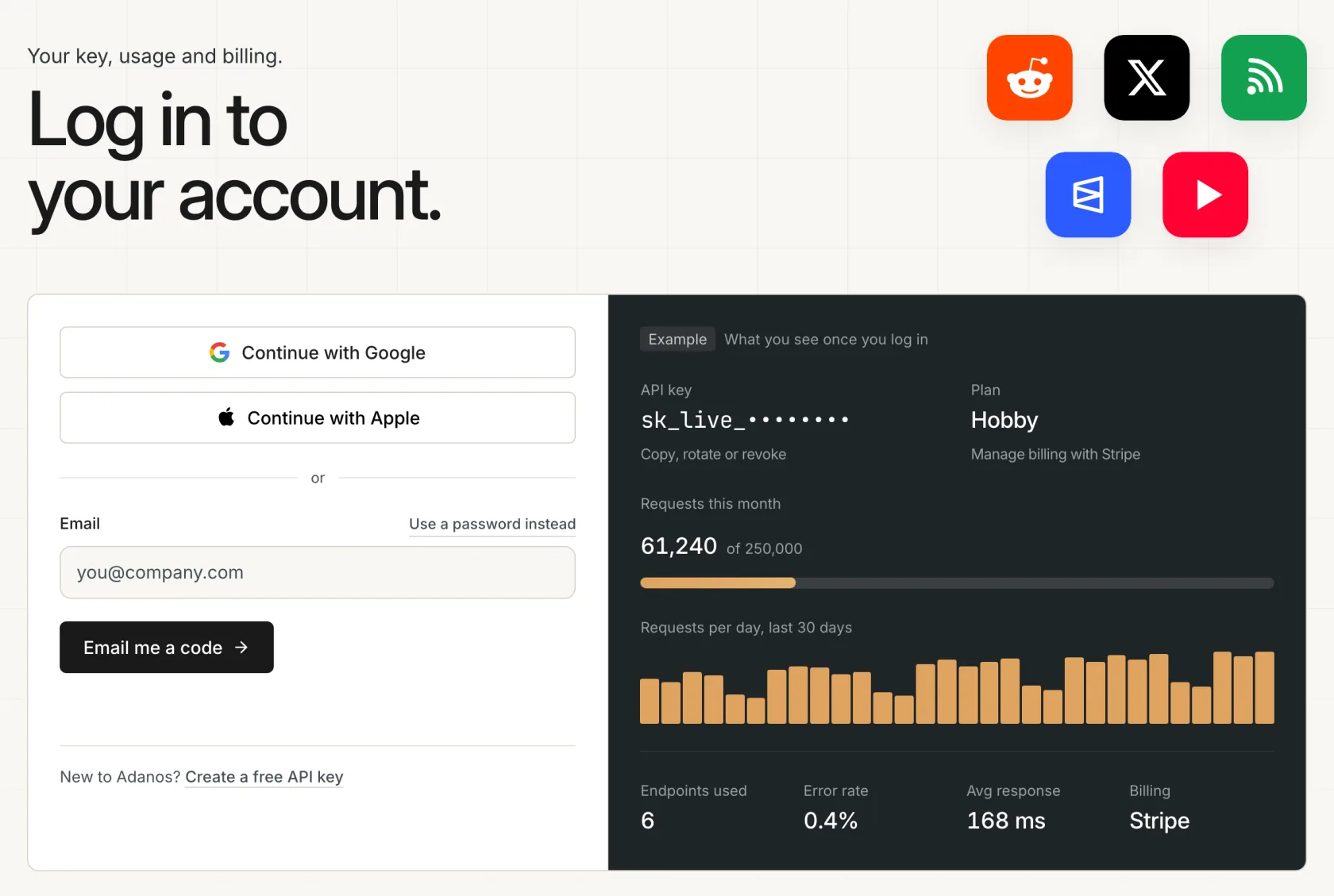
The old key page and the key links in earlier emails now point to the login page. We no longer send keys by email. If the code does not arrive or you no longer use that address, the support page has the next steps.
What your account shows
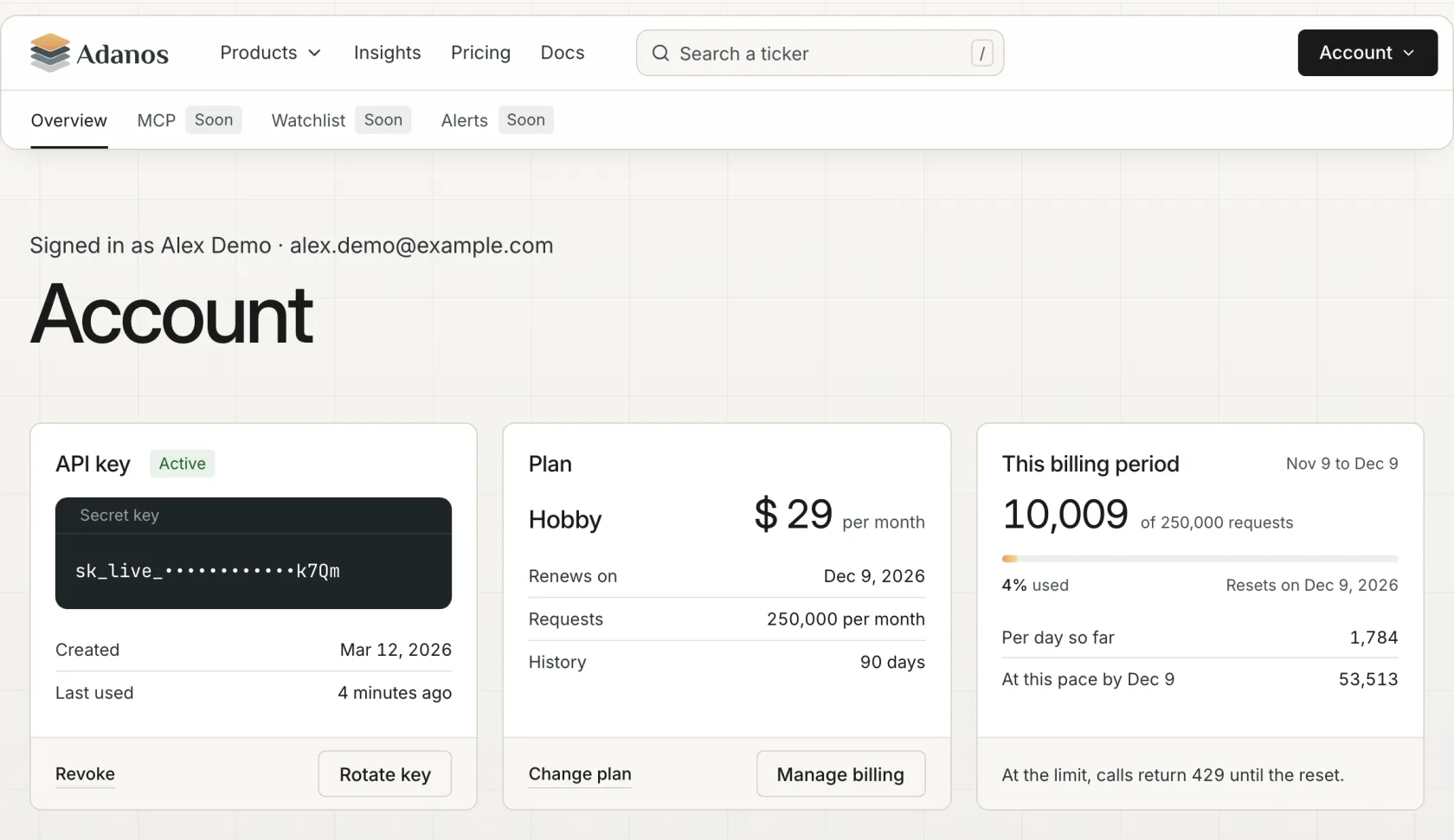
The account page starts with three cards:
- Your API key, shown masked, with the dates it was created and last used. "Rotate key" gives you a new key and stops the old one at once, so put the new key into your code right away. "Revoke" stops the key without a replacement. After a revoke, "Create a new key" gives you one. A new key shows only once, so copy it before you leave the page.
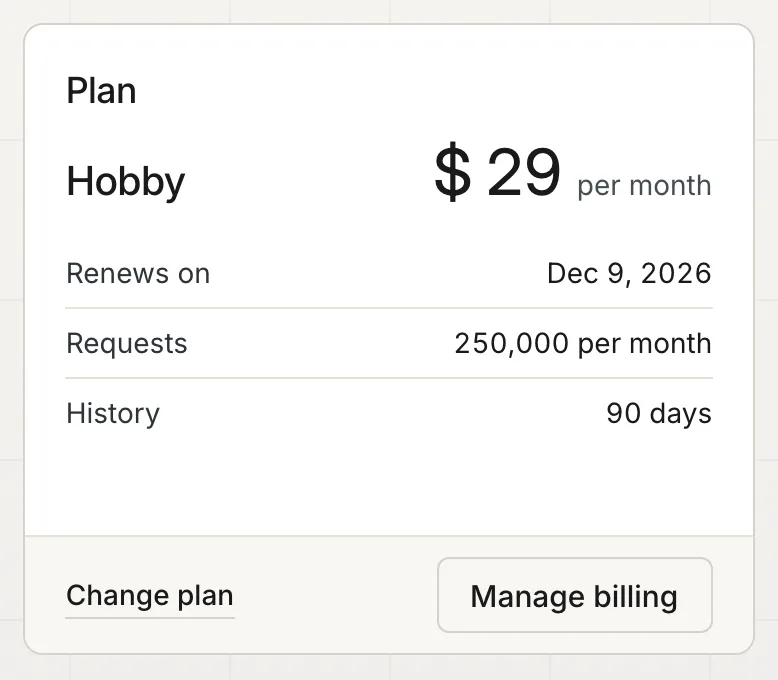
- Your plan with its monthly requests and its data history. A paid plan also shows the date it renews, or the date it ends once you cancel.
- The current billing period. It shows the requests you used against your limit and the date the limit resets. At your current pace it projects your usage by the reset. If that pace would exceed the limit, it shows the day you hit it instead.
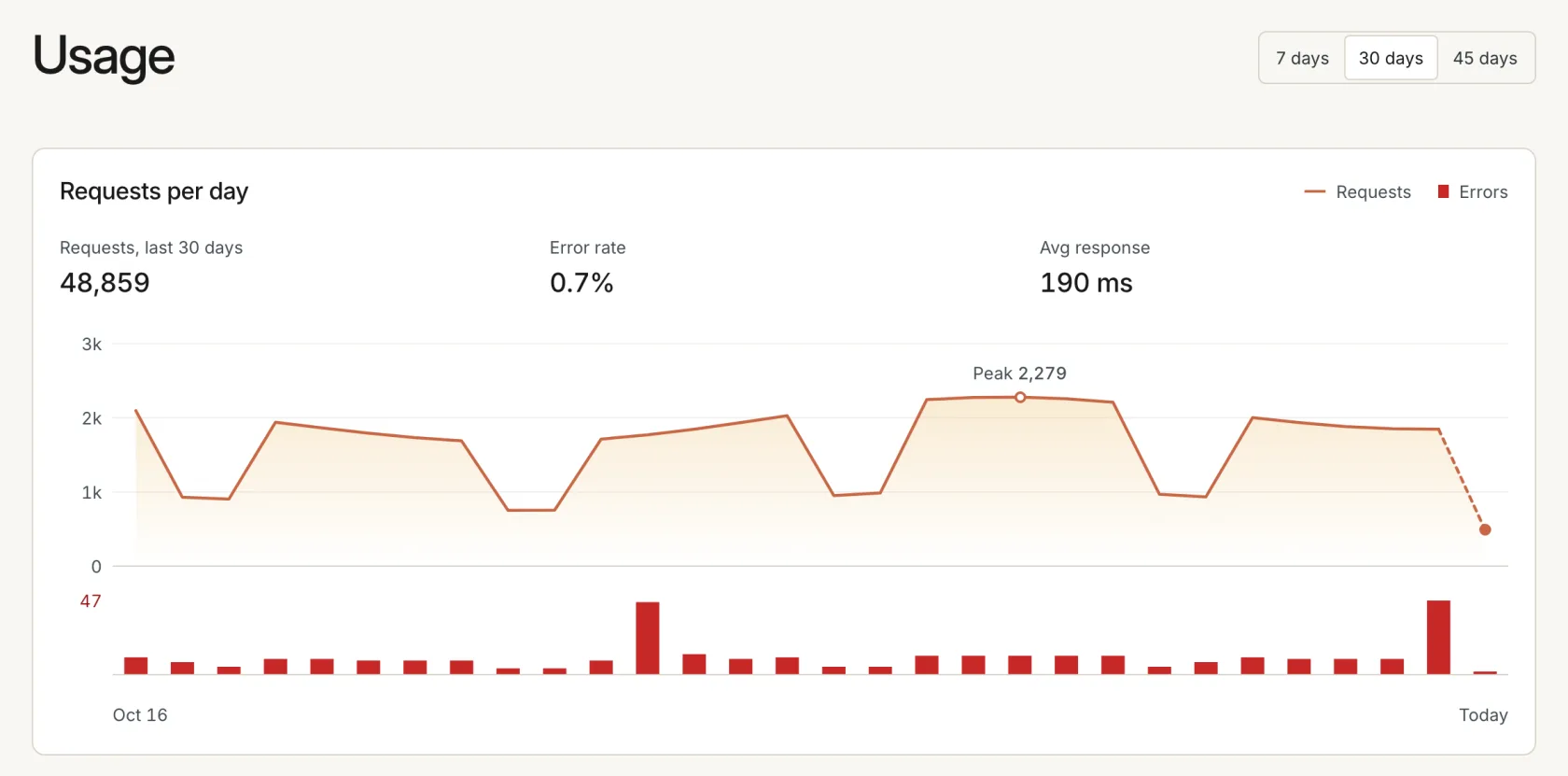
Below the cards, a chart shows your requests per day for the last 7, 30 or 45 days, with errors counted separately.
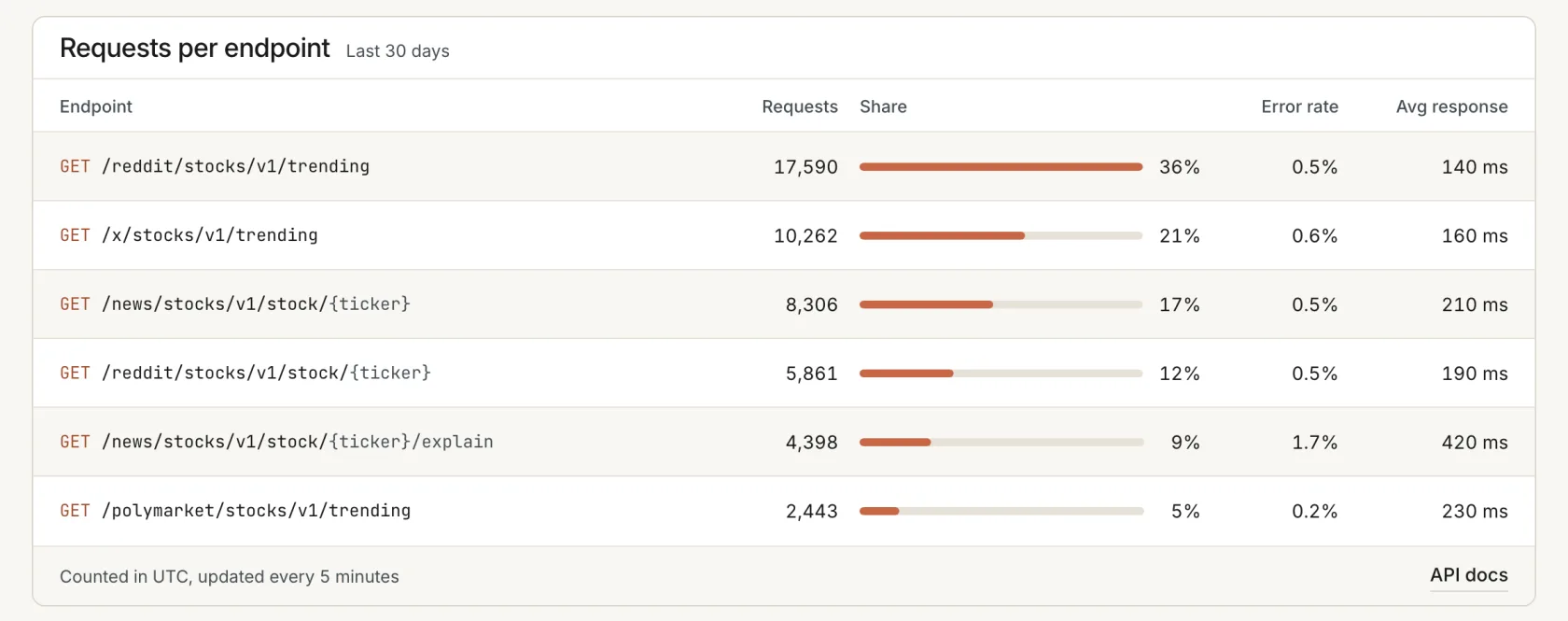
A table lists every endpoint you called with its requests, share, error rate and average response time. The table shows which endpoint uses most of your quota and where your errors come from. The numbers update every 5 minutes. Days start and end at midnight UTC.
Change or cancel your plan yourself
Paid plans run through Stripe. In your account, "Manage billing" opens the Stripe customer portal. There you switch plans, update your card, download invoices or cancel. An upgrade on the same billing interval starts at once and Stripe prorates it. A downgrade or a switch from yearly to monthly starts at the end of the billing period. A cancellation also takes effect at the end of the billing period. After that your key moves to Free with 250 requests a month and 30 days of data history.
You can also buy a plan without an account. On the pricing page a plan button leads straight to Stripe Checkout. After the payment we create the account for your email address and log you in right away in the browser you paid with. Anywhere else you log in with a code. If the address already has an account, we add the plan to that account and you log in with a code.
| Plan | Price | Requests per month | Data history |
|---|---|---|---|
| Free | $0 | 250 | 30 days |
| Hobby | $29 a month or $290 a year | 250,000 | 90 days |
| Professional | $299 a month or $2,990 a year | 2,500,000 | Up to 365 days |
Login, sessions and account deletion
Settings holds the rest of the account:
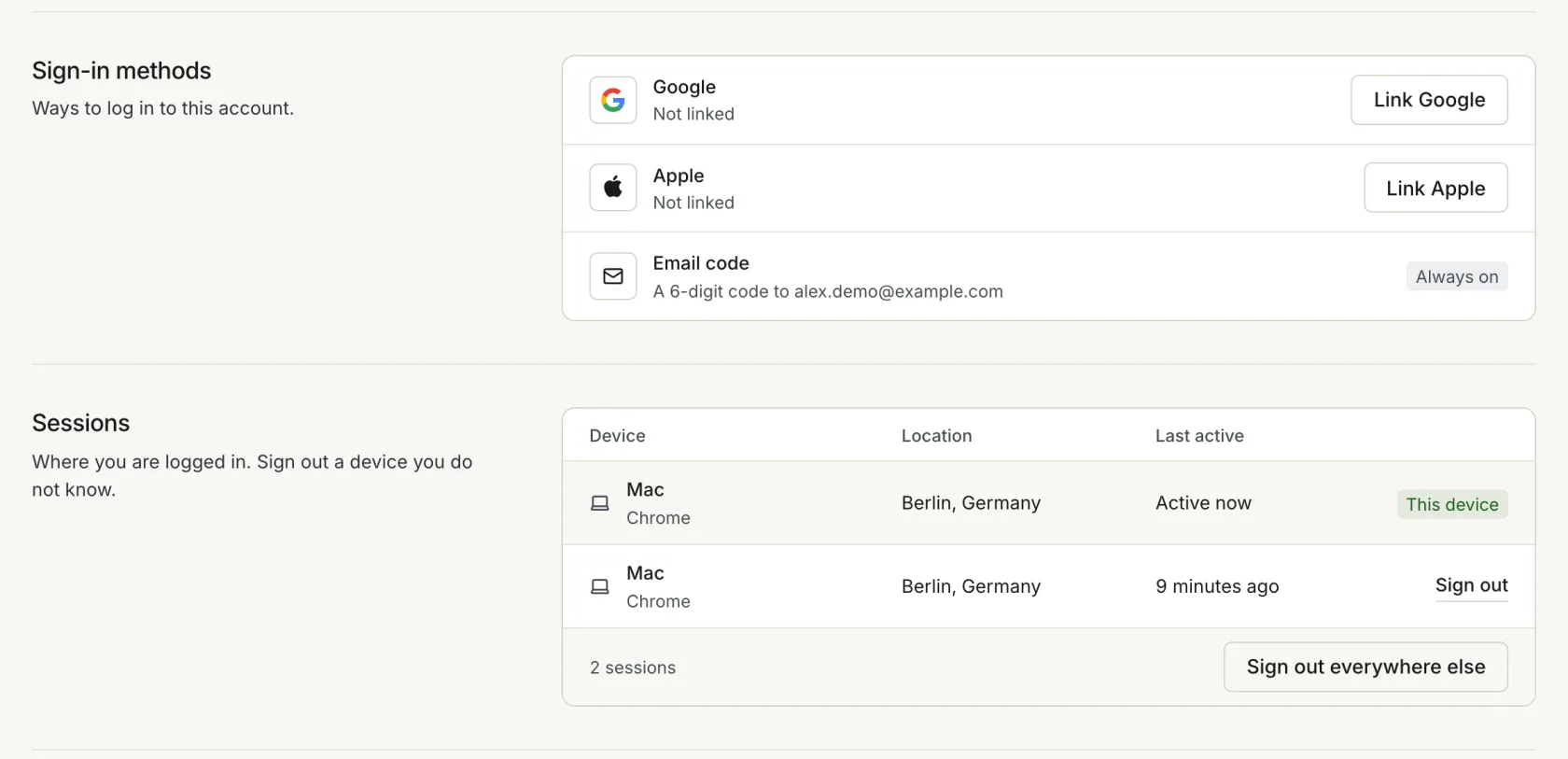
- You log in with a code by email, which always works. You can link Google or Apple or set a password of at least 12 characters.
- A list shows every device that is logged in, with its location and last activity. You can sign out one device or every device except the one you use.
- Product emails come about once a month and cover new sources, endpoints and changes to the API. One switch turns them off. Emails about your account and billing always come.
- You can delete your account when you have no subscription. A canceled plan still counts until its period ends. The key stops at once.
The account database is in the European Union. The privacy policy lists what we store and why.
Watchlist, alerts and an MCP server
Your account already shows three more tabs, MCP, Watchlist and Alerts, all marked "Soon". These are the next things we build.
The watchlist comes as its own page in your account. It holds the tickers you follow. We will share more about it later.
Alerts tell you when something changes for a ticker, so you no longer poll the API to find out. We plan rules per ticker and source, such as buzz above a threshold, a sudden jump in mentions, a sentiment flip or a ticker entering the top 10. An alert reaches you by email, by webhook to your own server or through the MCP server.
The MCP server connects AI assistants such as Claude to the Adanos API. With your key, an assistant can ask which stocks are trending on Reddit, X or in the news and why, without code of your own.
FAQ
Do I need to do anything now that my key is in an account?
No. Your key works as before and your code needs no change. Log in once with the email address of your key when you want to see your usage or change your plan.
How do I log in the first time?
Open the login page, enter the email address of your key and choose "Email me a code". We send a 6-digit code that works for 10 minutes. After that first login, Google or Apple with the same address log you in too.
What if the login code does not arrive?
Check your spam folder first. On the code screen, "Send a new code" sends another one. If you no longer have access to the email address of your key, write to us through the support page.
Do you still send API keys by email?
No. A new key shows once in your account, right after you create or rotate it. Copy it then. If you lose it, rotate the key to get a new one.
Can an account have several keys or team members?
No. An account has one key and one login email.
When do the watchlist, alerts and the MCP server arrive?
We do not give dates yet. MCP, Watchlist and Alerts show as "Soon" in your account until they are ready. Alerts will reach you by email, by webhook or through the MCP server.
Does an account cost anything?
No. The Free plan is $0 with 250 requests a month and 30 days of data history. Hobby and Professional add more requests and a longer history.